Partner referrals
What it is: the front door for other practices to send patients your way. A GP, physio, or partner clinic fills in your referral form; the referral lands in your Referrals list; and the referrer can check its progress themselves — without phoning your front desk and without needing an account.
How a partner sends you a referral
- You give partners your referral form link — or the form is embedded on a partner's own website (your admin controls which websites are allowed to embed it, so it can't be planted elsewhere).
- The partner fills in the patient's details and the referral information. If it's one of your smart forms, the questions adapt as they answer, and a branded PDF is generated.
- Submit → the referral is in your system instantly.
How partners track a referral (no account needed)
Referrers naturally want to know: did anything happen with my patient? Instead of calling you:
- The referrer opens the referral tracking page.
- They confirm their identity with a one-time code (OTP) sent to the contact details they gave — proving it's really them, without any password or registration.
- They see the referral's current status.
Less phone traffic for you, better service for them.
Working referrals (your staff)
- Open Referrals — new submissions at the top, tabs to filter.
- Review the details and the attached/generated PDF.
- Update the status as the referral moves through intake — this status is exactly what the referrer sees when they check.
- When the patient is ready to book, continue the normal way: enquiry → convert → appointment.
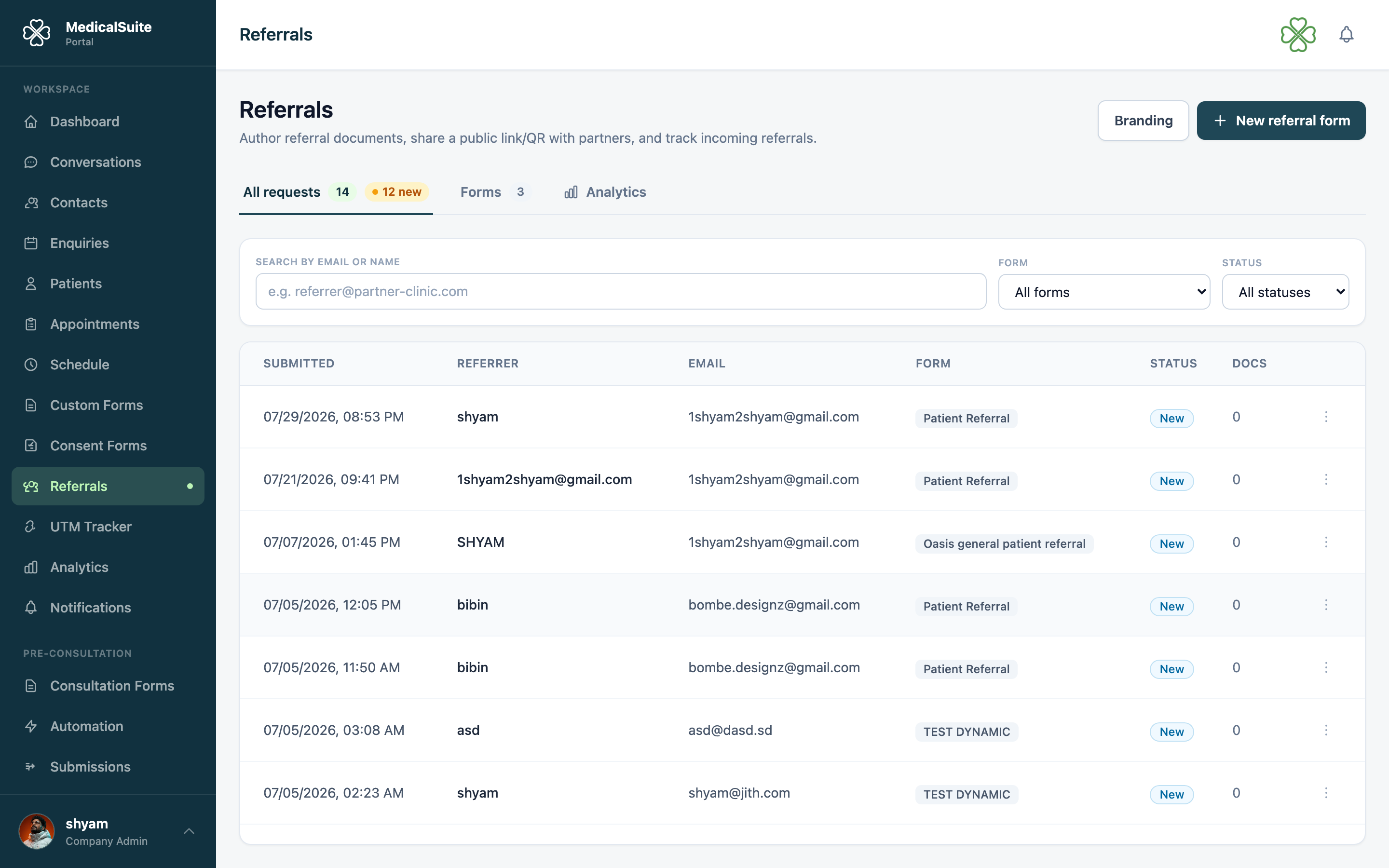
Deleting a referral
Admins can remove a referral that was submitted by mistake, is a duplicate, or is spam. Open the referral (or its row menu) and choose Delete. It disappears from every list and from the partner's tracking page immediately — this is an admin-only action.
Why this is worth doing well
Referral partners talk to each other. A clinic that accepts referrals cleanly and keeps referrers informed gets referred to more. Keep statuses honest and current — that's the whole trick.
Common questions
A partner says they can't see their referral's status. The OTP goes to the contact details they entered on the referral — a typo there means no code. Look up the referral and check their details.
Can we have different forms for different partners? Yes — build multiple referral forms and give each partner the right link.
Referral module missing from the menu? It's switched on per clinic. Ask your administrator.
Can staff get an email when a new referral comes in? Yes — an admin can turn this on in Email Notifications. It's off by default.