Your dashboard
The Dashboard is the first page you see after logging in — your clinic's day at a glance.
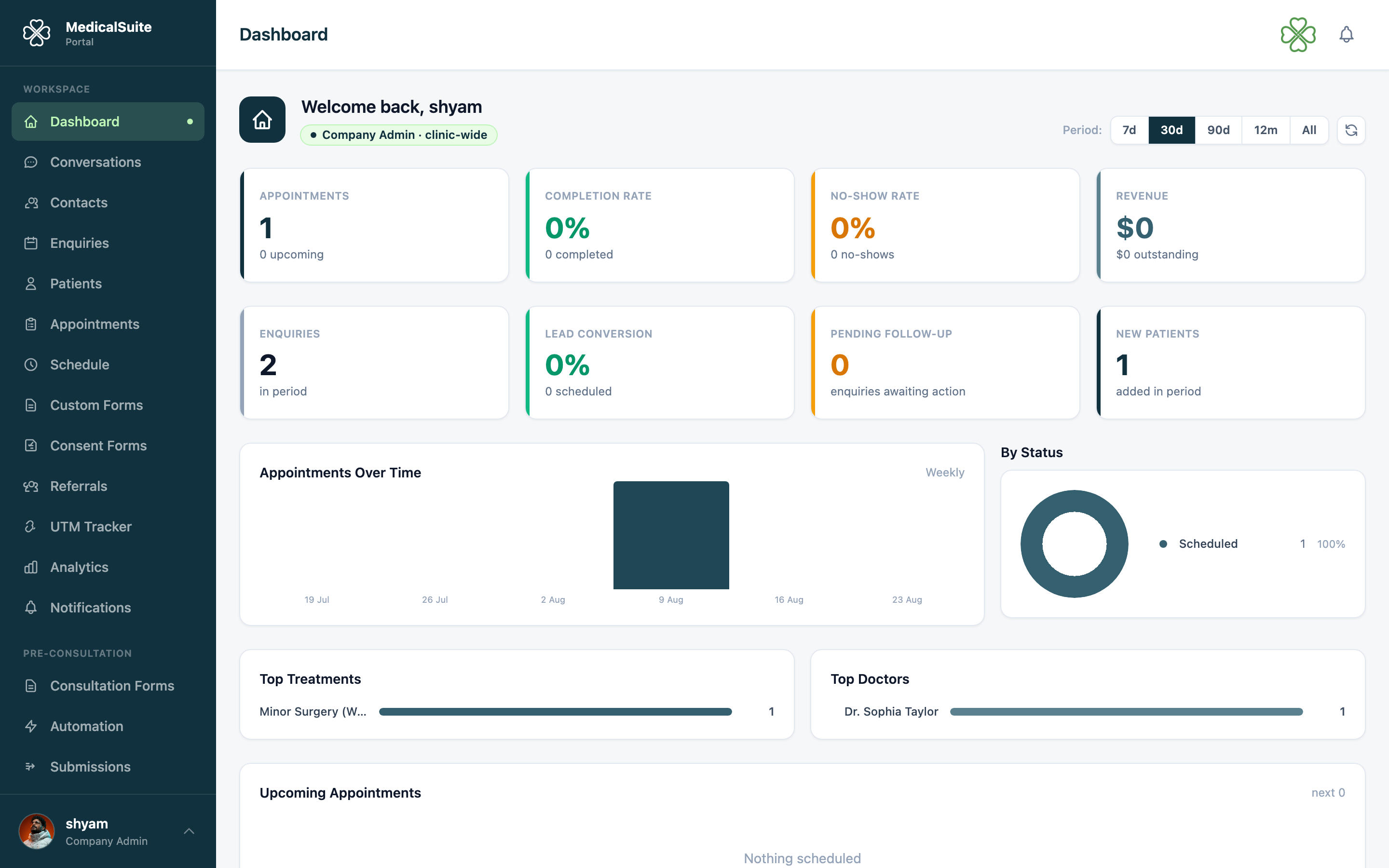
What the numbers mean
- Today's appointments — how many bookings today, and how they're going.
- New enquiries — people who contacted you and haven't been dealt with yet. If this number is high, someone should be working the Enquiries list.
- Patients — your total and how fast it's growing.
- Revenue — money invoiced and collected.
- Completion Rate / No-show Rate — of your recent appointments, how many actually happened vs. how many patients didn't turn up. A rising no-show rate is a hint to switch on appointment reminders.
The charts
Trend charts show enquiries and appointments over recent weeks — is the clinic getting busier or quieter? Which days are heaviest? Use them to plan staffing.
If you're a doctor
You see a personal dashboard: your appointments today, your patient numbers — not the whole clinic's.
Good to know
- Numbers refresh automatically about once a minute (there's a note saying "Served from cache"). Just booked something and don't see it? Wait a minute or click Refresh.
- Want more detail than the dashboard shows? The Analytics page lets you pick any date range and dig deeper.