Booking widget on your website
What it is: a booking form that lives on your clinic's own website. Visitors fill it in — day or night — and their request lands straight in your MedicalSuite as an enquiry or a booked appointment. No phone call needed, no lead lost at 9 pm.
What a website visitor experiences
- They open your website and see the booking form.
- They enter their details (name, contact, and whatever fields you've chosen to ask).
- Depending on your setup they either:
- pick a doctor, treatment, and a real available time slot (slot booking on), or
- just send their details as a request for you to schedule (slot booking off).
- If the treatment supports it, they choose In-clinic or Online (video).
- If you require it, they attach a referral file.
- Submit → they're in your system; you'll see them within a minute.
Location, doctor and treatment work as a chain
Those three pickers narrow each other down, in that order: Preferred Location → Doctor → Treatment. Only the doctors who work at the chosen location are offered, and only the treatments that doctor actually performs.
Because of that, changing or clearing a picker empties the ones below it:
- Change or clear the location → the doctor and treatment are cleared, so the visitor never leaves a doctor selected who doesn't work at the new location.
- Change or clear the doctor → the treatment is cleared.
Choosing a different location or doctor still auto-fills the field below when only one option is left, so the common single-doctor, single-treatment clinic isn't made to click more. Clearing a picker back to nothing leaves the ones below it empty, since at that point there's nothing to narrow down to.
Making the widget yours (admins)
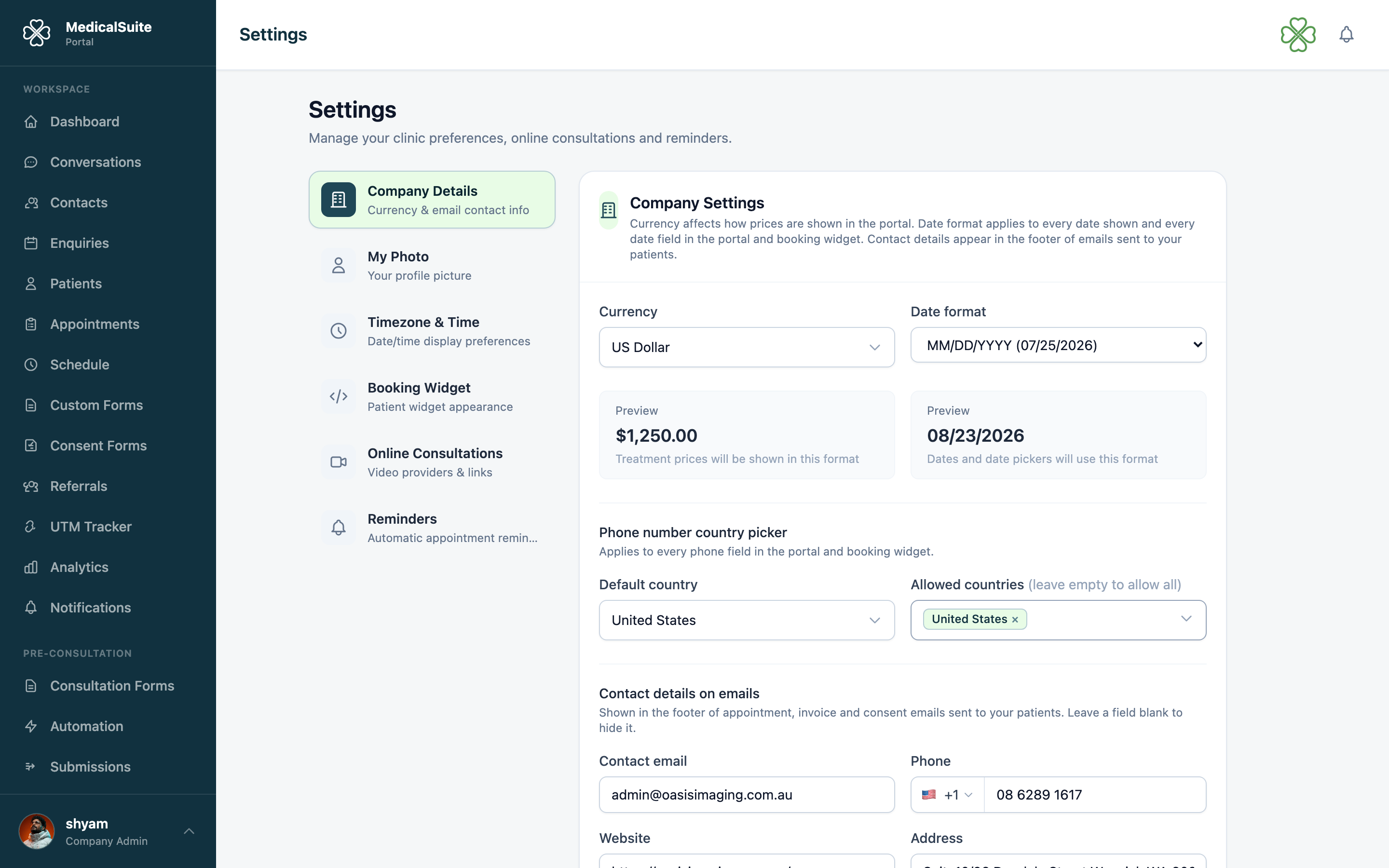
Everything is configured under Settings, in two sections:
Booking Widget Appearance
Colors and look, so the widget matches your website's style.
Booking Widget Form Fields
Field-by-field control over what the form asks:
- Show / hide any field — a short form converts better; ask only what you need.
- Required / optional per field.
- Field order & labels — the list at the bottom of the section controls both.
- Order: drag the handle (⠿) to change the order visitors answer in. Every field can move, including name, email and phone — put the phone number first if that's what your front desk cares about most. Those three are still always asked and always required; only their position changes. Your own custom questions can sit anywhere in the list too. Hidden fields stay in the list, greyed out, so switching one back on puts it where you left it. Each field gets its own line on the form.
- Labels: type over any label to reword it in your patients' language — "Doctor" can become "Consultant", "Date of birth" can become "Birthday". Leave a box blank to keep the wording shown in grey. The required star and "(optional)" are added for you, so just type the name. Custom questions are reworded in the Custom fields section above instead.
- Custom fields — add your own questions: text boxes, checkboxes, even a HIPAA consent signature field the visitor signs on screen.
- New or existing patient — ask the visitor whether they're a new or existing patient. This question is off by default; switch it on here if you want to use it (for example, to target it with a pre-consultation automation rule).
- Which dates suit you? — ask the visitor for a first and last date they're free, for clinics that prefer to schedule by phone rather than let visitors pick a slot. Off by default. Turning it on asks visitors which dates work for them, so your staff can book inside that window. You can make it required, and set the widest span they're allowed to give (a number of days; 90 by default). Once an enquiry carries dates like this, the calendar staff use to book it stays inside them — see Booking within a patient's preferred dates.
- Referral upload — let (or require) visitors to attach a referral document.
- Slot booking toggle — the big decision:
- On — visitors book real slots themselves. Less phone work; slots come from doctors' actual availability, so no double-booking is possible.
- Off — visitors submit a request; your staff schedules by phone. More control, more calls.
Putting it on your website
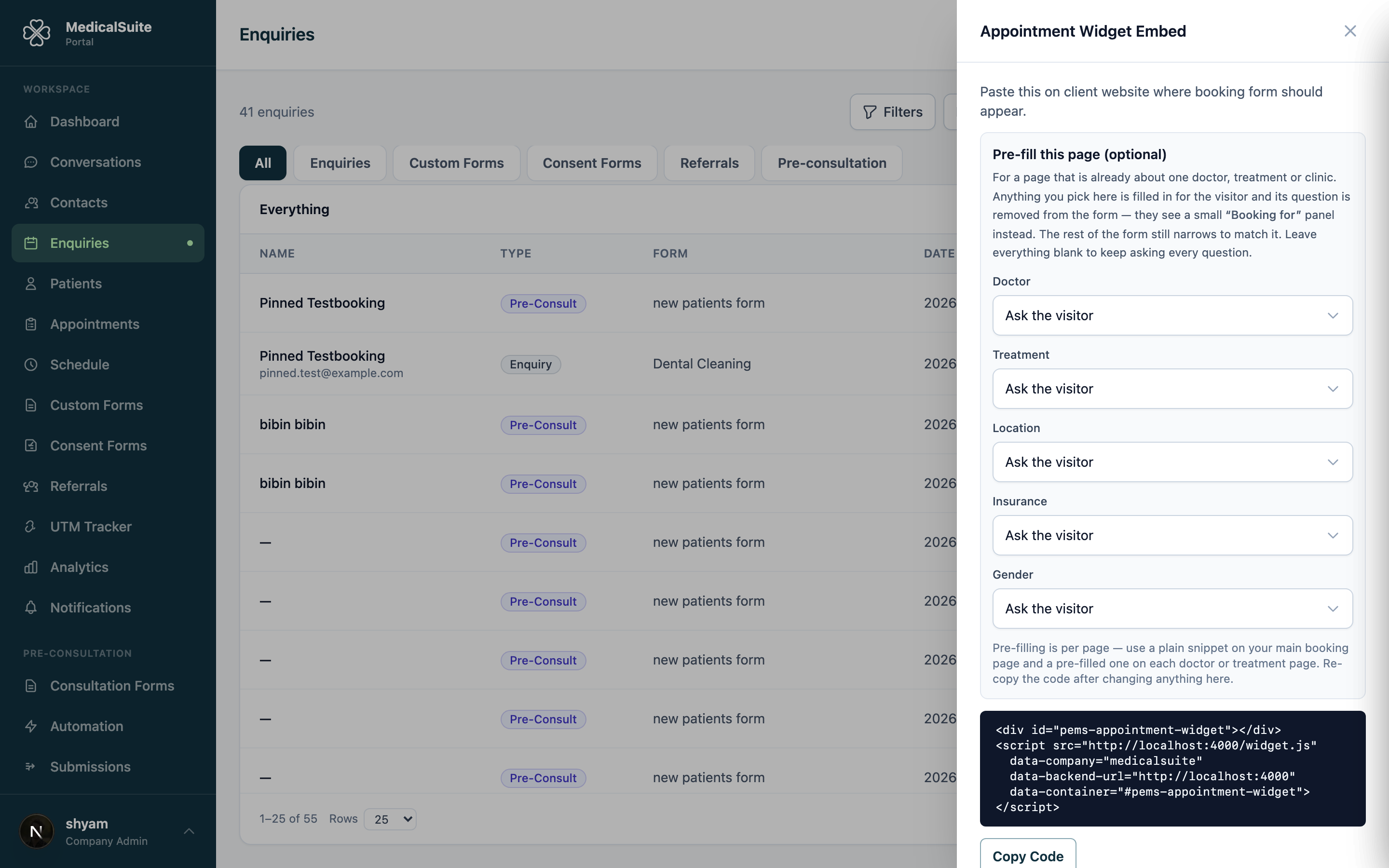
Open Enquiries and click Embed Code — that panel holds a small snippet your web person pastes into your site once. Any change you make to fields or colors afterwards applies automatically; the website never needs touching again.
Pre-filling a choice for one page
If a page on your site is already about one doctor, one treatment or one clinic, you don't need to ask the visitor again.
In the Embed Code panel (Enquiries → Embed Code), under Pre-fill this page, pick the doctor, treatment, location, insurance or gender that page is about. The code below the pickers updates as you choose — copy that version and give it to your web person for that one page. Leave the pickers on Ask the visitor for your normal, everything-asked snippet.
Each pre-filled choice:
- is filled in for the visitor, and its picker is removed from the form — one less question to answer;
- is shown at the top of the form in a small "Booking for" panel, so the visitor can see what they're booking;
- still narrows the pickers that are left, exactly as if the visitor had chosen it themselves (pre-fill a doctor, and only that doctor's treatments are offered).
The generated code carries a data-doctor, data-treatment, data-location, data-insurance or data-gender line per choice, and a comment at the top naming them in plain English, so your web person can see at a glance what a page is set to. They can also write these by hand using the name as it appears in MedicalSuite — data-doctor="Dr. Sarah Smith" — where capitals and spacing don't matter but the spelling does. The copied code uses the internal reference instead, so it keeps working if you later rename the doctor or treatment.
If a value matches nothing, nothing is pre-filled and the form simply asks the visitor as usual — a typo can never book the wrong doctor.
Pre-filling is set per page, so the same clinic can run a general booking page and a doctor-specific one side by side. It overrides the show/hide settings for that field: a pre-filled field never appears as a question, even if it's switched on in Booking Widget Form Fields.
Where submissions land
- Slot booking off → new enquiry, for staff to work.
- Slot booking on → booked appointment on the calendar + patient record, with the confirmation email sent automatically.
If the visitor arrived via one of your tracked marketing links, the enquiry shows which campaign brought them.
Common questions
Can one page book only one doctor or treatment? Yes — see Pre-filling a choice for one page. Pick it in the Embed Code panel; the choice is filled in and hidden, and the visitor sees a "Booking for" panel instead.
We pre-filled a doctor but the page still asks for one. The page is running the old snippet — re-copy the code after changing the pickers, and reload the page once it's pasted in.
Can we ask different questions for different treatments? The field set is one per widget. Use a custom form if you need a very different questionnaire.
We changed the field order but the website still shows the old one. Save the section (Save Form Fields), then reload your website page — the widget picks up the new order on its next load.
A visitor complains the form won't submit. Usually a required field left empty. If reCAPTCHA is enabled (Integrations), it also blocks bots — genuine users just tick the box.
Do widget bookings respect doctors' calendars? Fully — same availability rules as staff bookings: weekly schedule, Extra Hours, Google Calendar busy times.
A visitor gave their dates but was never offered a time slot to pick — why? Self-picking a slot only works for the next few weeks. If the dates the visitor gave are further out than that, the widget doesn't offer a picker at all — it tells them your team will be in touch to confirm a time within their dates, and the enquiry lands in your list ready to work. This is expected, not a fault.