Automatic appointment reminders
The problem: patients forget appointments. Empty chairs cost money. The fix: MedicalSuite can remind every patient automatically — by email, SMS, or both — a set time before their appointment. Once switched on, it runs by itself; nobody has to remember to send anything.
Switching reminders on (admins)
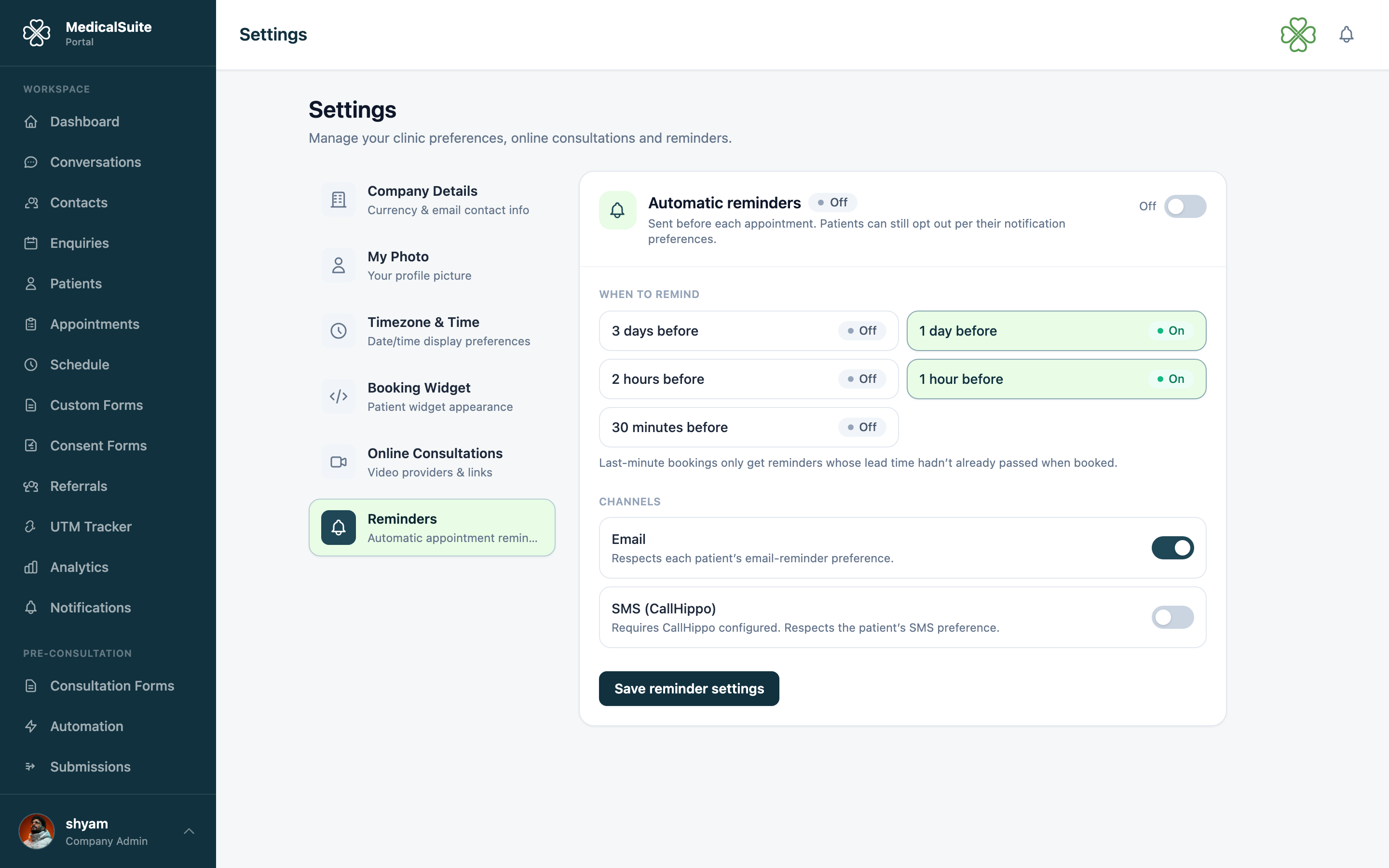
Reminders are off until an admin turns them on:
- Open Reminders from the menu (or Settings, depending on your setup).
- Turn the toggle on.
- Choose the channels: email, SMS, or both. (SMS needs your clinic's phone system connected — see Email & SMS.)
- Choose when to send — e.g. 24 hours before the appointment.
- Save.
What the patient receives
A short, branded message with:
- date and time of the appointment,
- doctor's name,
- your clinic's name and details,
- for online appointments: the video join link, so the patient can join with one tap right from the reminder.
Common questions
A patient says they never get reminders. Three usual causes: (1) their email/phone number on the patient record is wrong — check it; (2) emails going to spam; (3) their address bounced previously and is suppressed — an admin can check Email Monitor.
Can different doctors have different reminder rules? Reminder settings are clinic-wide.
Will patients get reminded about cancelled appointments? No — cancelled appointments send no reminders.
We just turned reminders on. Do tomorrow's patients get one? Reminders are sent looking ahead by your chosen lead time. Anyone whose appointment is still further away than the lead time will be reminded on schedule.