Building custom forms
What it is: a do-it-yourself form maker. Intake questionnaires, satisfaction surveys, pre-visit checklists — build any form by stacking fields, then put it on your website or send the link. Answers come back into MedicalSuite.
Building a form
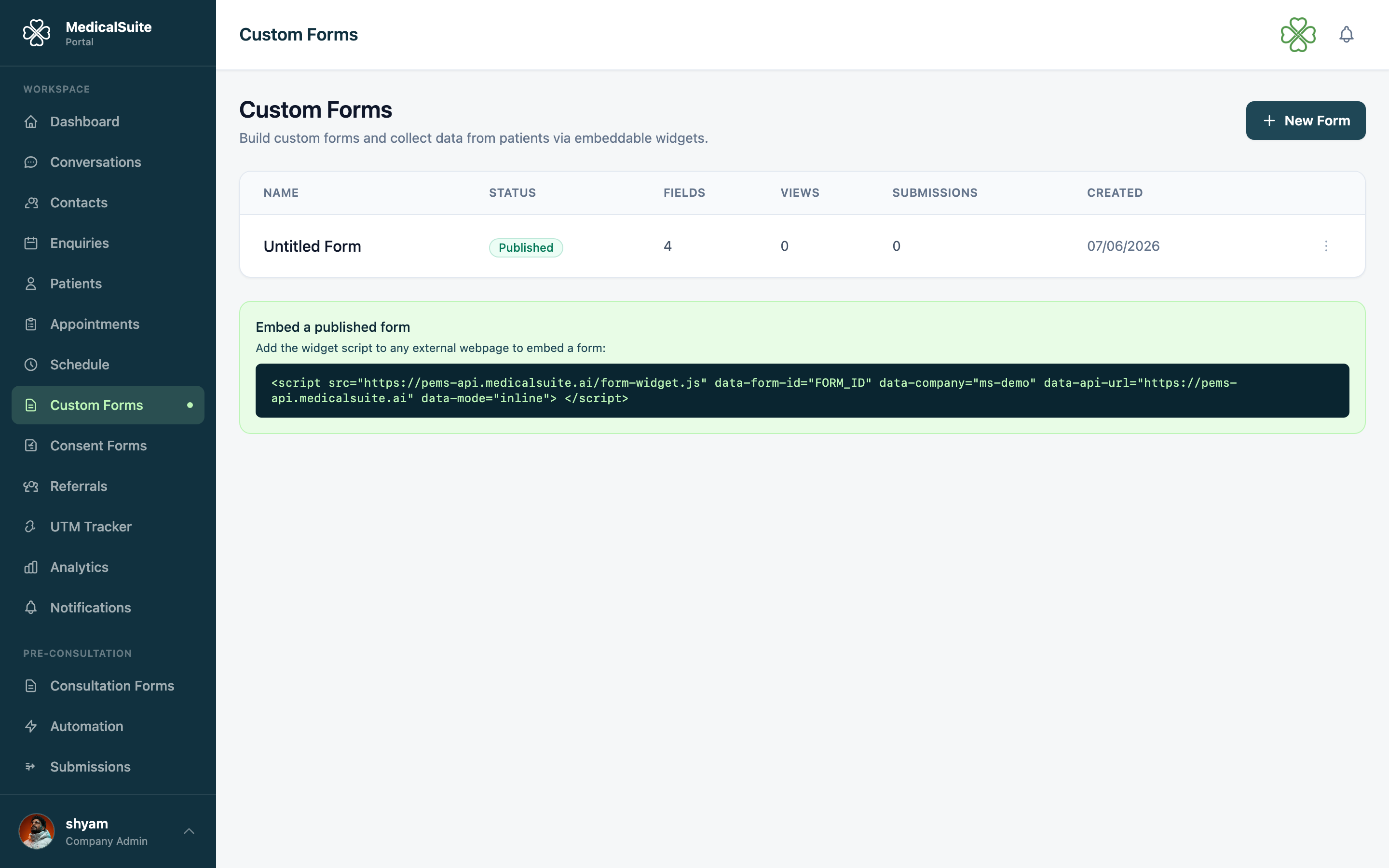
- Open Custom Forms from the left menu and click New Form.
- Give it a clear name — patients may see it ("New Patient Intake").
- Add fields, one per question:
- short text / long text (for open answers),
- multiple choice / dropdowns (for pick-one answers),
- checkboxes (for yes-no and multi-pick),
- date fields, and more.
- Drag fields to reorder. Mark the must-answer ones required.
- Save and publish.
Getting it in front of people
Each published form has an embed code (for your website — your web person pastes it once) and can be reached by link. Share it wherever suits: website page, email, WhatsApp.
Reading the answers
Submissions arrive under Form Submissions — every answer, timestamped. Check it as part of the daily routine, same as enquiries. They also appear on the Enquiries page under the Custom Forms tab.
Answers can't be edited — they're a record of what the person actually sent. They can be removed: open the row's ⋯ menu and choose Delete. Use it for test entries, duplicates and spam. It disappears from the list and stops counting towards the form's submission total, you'll be asked to confirm first, and it can't be undone from the portal. Delete only shows for roles with the forms delete permission.
Form ideas clinics actually use
- New patient intake — history and medications before the first visit, so the doctor reads it instead of asking.
- Post-visit feedback — three questions, sent after appointments.
- Pre-procedure checklist — "have you fasted?", confirmed in writing.
Common questions
Custom form vs. booking widget — which? The booking widget is specifically for booking appointments (it knows doctors, treatments, slots). Custom forms are for questions and answers. Website "book now" button → widget. Everything else → custom form.
Can I edit a live form? Yes — edit and republish. Old submissions keep the answers they were given.
Someone spammed my form — can I clear it out? Yes. Delete the rows one at a time from Form Submissions. The form's submission count and conversion rate correct themselves as you go.
Does a form submission create a patient? No — form answers are collected as submissions. Patients are created via enquiries, the widget, or manually.
Can staff get an email when a form is submitted? Yes — an admin can turn this on in Email Notifications. It's off by default.