Email notifications on new records (admins)
Get an email the moment something new comes in — a new enquiry, a new appointment, a new referral, or a new form submission — instead of having to keep checking the portal. This is off for everything by default; turn on only what you want.
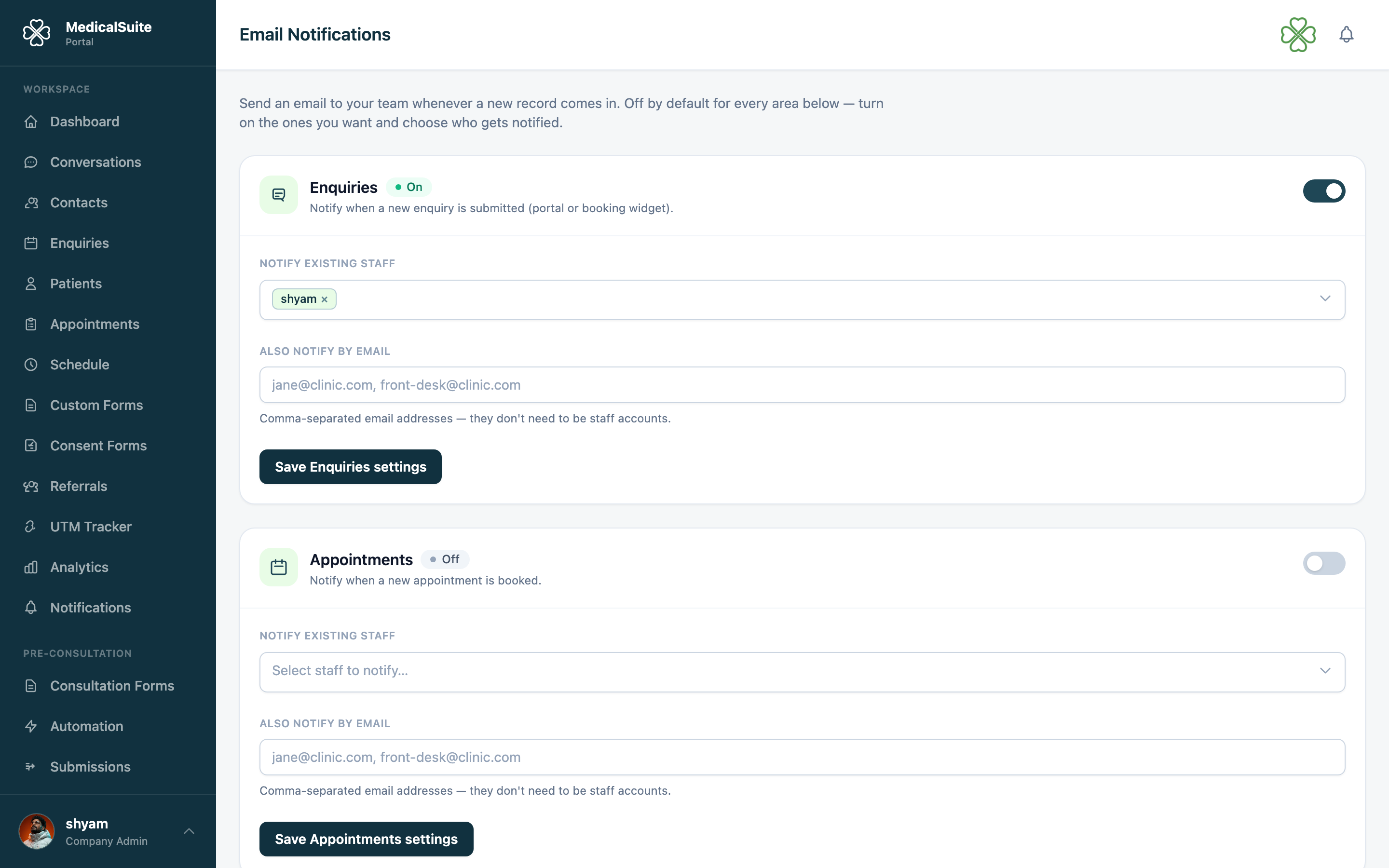
Turning it on
- Open Administration → Email Notifications.
- You'll see one card per area: Enquiries, Appointments, Referrals, and Form submissions.
- Flip a card's switch On.
- Choose who gets the email:
- Notify existing staff — pick one or more people from your team list.
- Also notify by email — type any other email addresses, separated by commas. These don't need to be staff accounts (e.g. a shared front-desk inbox).
- Click Save on that card.
Each area is saved and turned on/off independently — you can enable Enquiries only, or all four, or any combination.
What the email looks like
A short email with the clinic's branding, the type of record ("New Enquiry Received", "New Appointment Booked", etc.), and the key details (name, contact info, time, form name). It's a heads-up for your team, not something sent to the patient or referrer.
Nothing sends until you set it up
If a card is off, or on but has no one selected/typed in, nothing is sent for that area — this is intentional so the feature can't email anyone by accident.