Managing enquiries
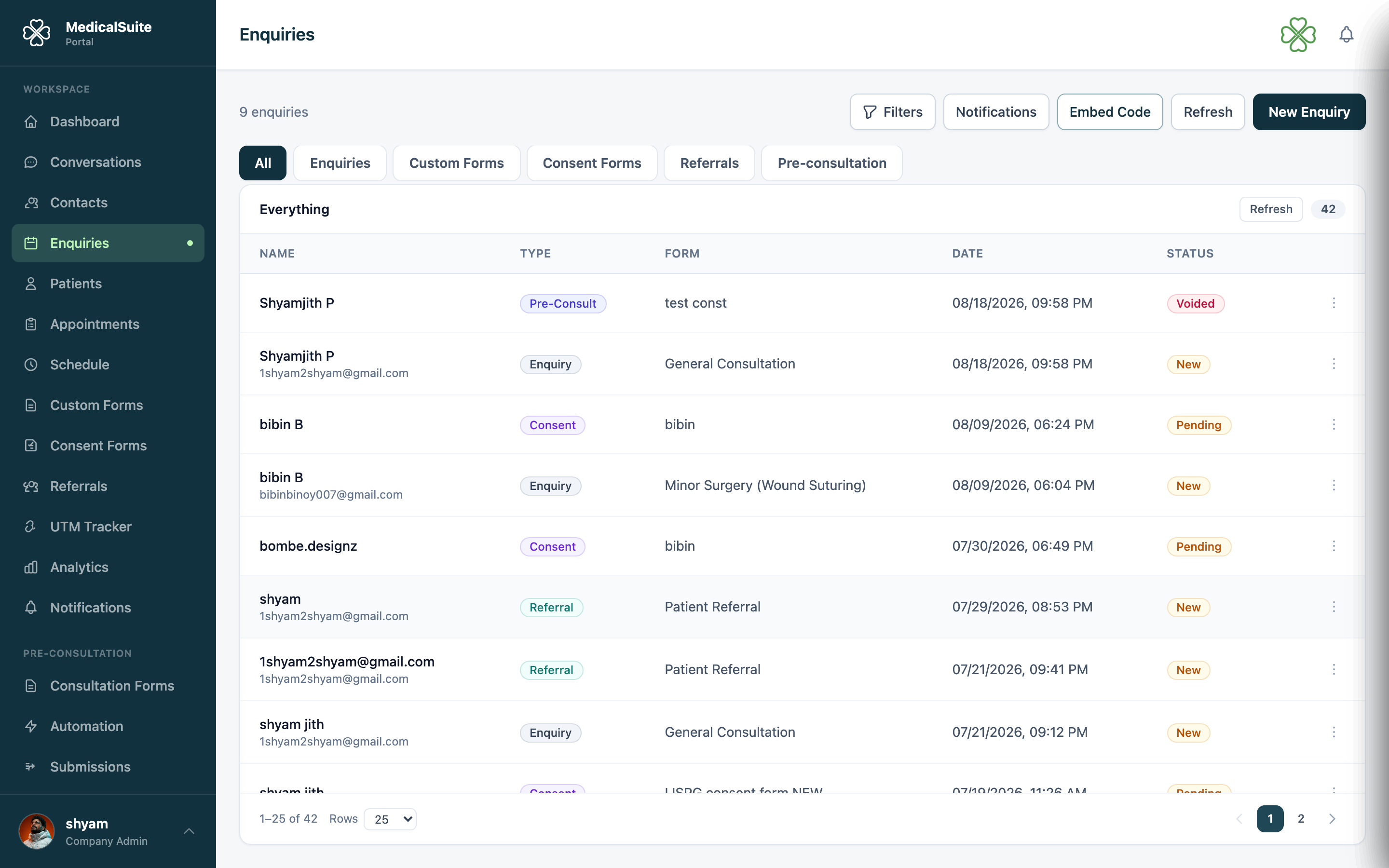
An enquiry is a person who showed interest but isn't a patient yet — they filled a form on your website, called in, or walked in asking questions. The Enquiries page is where these leads wait to be handled. Worked well, this list is where new patients come from. Ignored, it's where they're lost.
Where enquiries come from
- Your website's booking widget or forms — arrive automatically, marked with their source.
- A tracked marketing link (UTM Tracker) — you'll see which ad brought them.
- Manually — someone calls; you click New Enquiry and type their details while talking. If they mention dates that suit them, note them in the Available From / Available To fields — the calendar will stay inside those dates when you later book their appointment. See Booking within a patient's preferred dates.
Working an enquiry — the daily routine
- Open Enquiries. Newest are on top; filter by status or date (Today, This Week, This Month, Custom Range).
- Click an enquiry to see everything they submitted, plus its activity log — every change and by whom. The page opens on the All tab, which mixes enquiries with every other form your clinic receives — see Seeing every form in one list. Switch to the Enquiries tab for this list on its own.
- Contact the person (the dialer can call them right from the portal).
- Update the status as you go, so colleagues can see where things stand at a glance:
| Status | Meaning |
|---|---|
| New | Nobody has touched it yet |
| Contacted | You've spoken or left a message |
| Qualified | Genuine prospective patient |
| Follow Up | Needs another call/message later |
| Scheduled | Appointment booked ✅ |
| Closed | Finished — became a patient or resolved |
| Rejected | Not going ahead (spam, wrong fit, changed mind) |
- When they're ready to book → convert the enquiry. That's the next guide: Converting an enquiry.
Editing an enquiry
People misspell their own email at 11 pm. Open the enquiry → Edit → fix any field → Save. The activity log records the change.
Common questions
How fast should we respond? Leads go cold fast. A same-day call converts far better than a next-week one. Keep the New count near zero — it's on your dashboard for a reason.
An enquiry is clearly spam. Set it to Rejected. Admins can delete outright (Deleting records), but Rejected keeps your stats honest.
Same person enquired twice. Work one, reject the other with a note. If they convert, the duplicate check will catch matching contact details.
Can staff get an email when a new enquiry comes in? Yes — an admin can turn this on in Email Notifications. It's off by default.
Someone missed the email. Can we send it again? Yes — see Resending an enquiry notification.