Booking an appointment
This is the bread-and-butter task: a patient wants to come in (or join a video call), and you book them a slot.
Before you start
An appointment always needs three ingredients:
- a patient (existing, or you create one during booking),
- a doctor,
- a treatment (the service — e.g. "Initial consultation, 30 min").
Steps
- Open Appointments from the left menu.
- Click New Appointment — or simply click an empty time slot on the calendar to start a booking at that exact time.
- Patient: start typing a name or phone number and pick from the list. Person not there yet? Create them right here — fill their name and contact details without leaving the booking.
- Doctor and Treatment: pick from the dropdowns. The treatment decides how long the appointment lasts and what it costs.
- Date & time: pick a day and choose one of the available slots shown. You only see times the doctor can actually take (see "Where do the time slots come from?" below).
- In-clinic or Online: if the treatment can be done as a video call, choose the mode. Online bookings get a video link created automatically.
- Add a Note if there's anything the doctor should know ("returning patient, knee pain").
- Click Save.
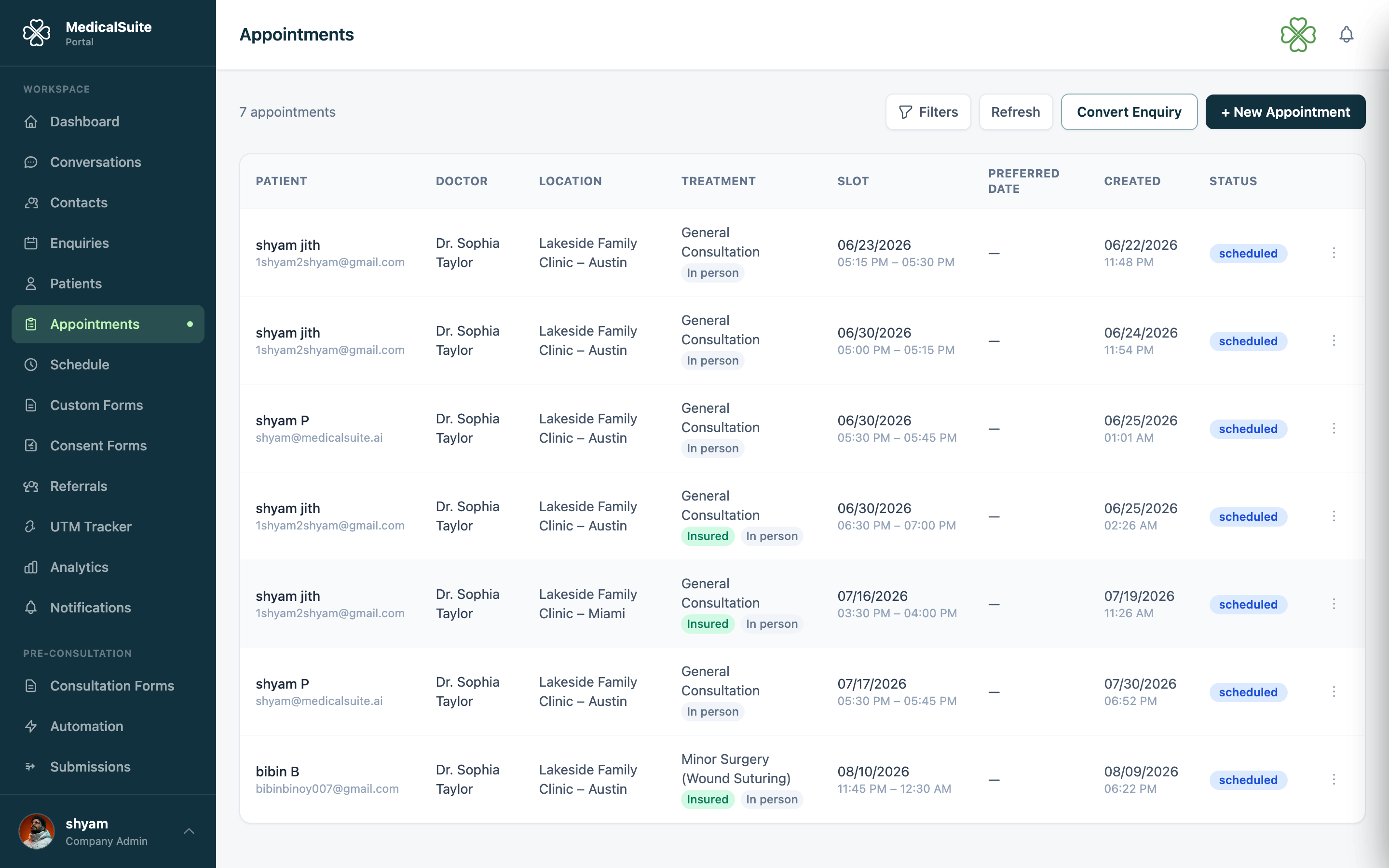
What happens after you save
- The appointment appears on the calendar immediately.
- The patient gets a confirmation email with the date, time, doctor, and clinic details (and SMS too, if your clinic has SMS switched on).
- For online appointments, the confirmation includes the video join link.
- If reminders are on, the patient will automatically be reminded before the appointment.
Where do the time slots come from?
You never have to guess whether a doctor is free — the slot list already accounts for:
- the doctor's weekly working hours (set in Schedule),
- any one-off Extra Hours added for that date,
- minus slots already booked,
- minus times the doctor is busy in their connected Google Calendar (holidays, meetings, personal blocks).
If no slots show, the doctor genuinely has no availability that day — try another day or another doctor.
Common questions
The patient wants a time that isn't in the list. The doctor isn't available then. Either an admin adds Extra Hours for that date, or pick another slot.
Can I book weeks or months ahead? Yes — pick any future date.
I made a mistake in the booking. Open the appointment and edit it, or reschedule. The patient is kept informed automatically.
Does booking create an invoice? Not automatically — see Invoices & payments. If the patient has a membership covering the treatment, the session counts against their plan.
Can staff get an email when a new appointment is booked? Yes — an admin can turn this on in Email Notifications. It's off by default.