Conversations — your message & call inbox
What it is: every message and phone call between your clinic and a person, gathered into one thread per person per channel — texts, calls, WhatsApp, Facebook Messenger and Instagram DMs, shared by the whole team. No more "who spoke to her last week and what was said?"
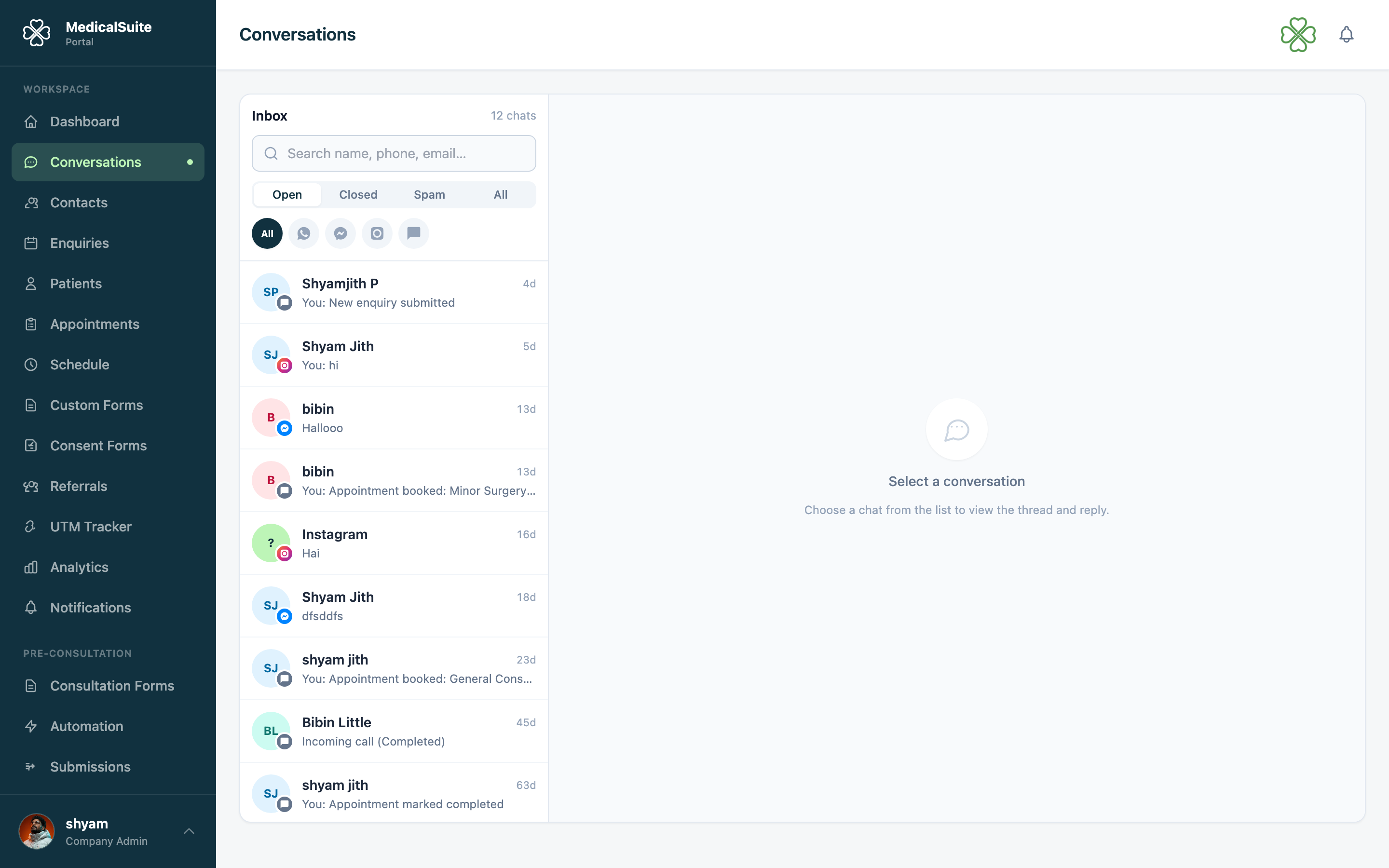
Reading the inbox
- The left side lists conversations, most recent activity first. Use Search conversations to find someone by name or number.
- Click a conversation to open the whole history: texts sent and received, and call records (direction, duration, recordings where available) — all in time order.
- If the phone number matches a patient or enquiry, the thread links straight to their record — one click from "message" to "who is this".
Channels
If your clinic has connected WhatsApp, Facebook or Instagram, those messages arrive here too. The buttons above the list show one channel at a time:
- All
- Messenger (Facebook)
- SMS & calls
Every conversation carries a badge for the channel it came in on. Replying always goes back out the same way, so the patient sees your answer where they asked.
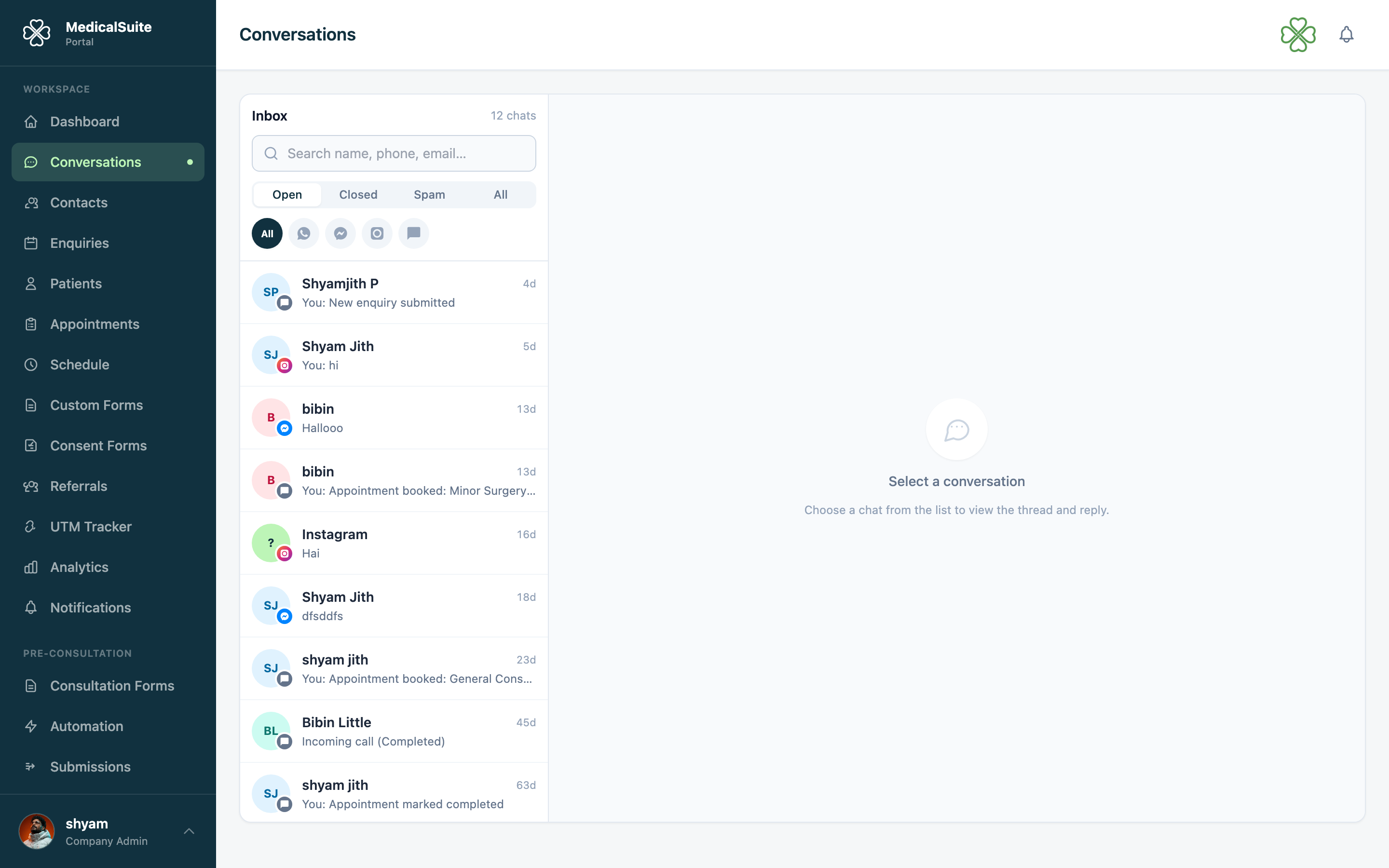
Photos and files
If someone sends a photo or a document, it appears right in the conversation. Click it to open the full size.
The 24-hour rule on WhatsApp
WhatsApp only lets businesses send a free message within 24 hours of the person's last message. After that the reply box tells you the window has closed — ask them to message you again, or call them instead.
Messenger and Instagram work the same way. On those two the window can stretch to 7 days once a member of staff has replied, but only if your clinic's Facebook app has been approved by Meta for extended replies. Without that approval the limit stays at 24 hours.
Replying to a text
Open the thread, type in the message box, send. The reply goes as an SMS from your clinic's number, and stays in the thread for every colleague to see.
If your clinic has several phone lines, the number a text sends from follows the same caller ID line an admin assigned you for calls (see dialer) — nothing extra to pick here.
When to text vs. call
- Text for confirmations, directions, "please bring your referral", link resends — anything short and non-urgent. Patients read texts; they screen calls.
- Call for anything sensitive or complicated — use the dialer, and the call logs itself into the same thread.
Booking straight from a conversation
Someone texts "can I get an appointment this week?" — use the Book appointment action right in the conversation and you're in the booking flow with their details attached. No copy-paste.
Common questions
A patient replied to an SMS reminder — where does it go? Right here, into their thread. Check the inbox regularly, same as enquiries.
Can patients see we all read the thread? No — to the patient it's a normal SMS chat with your clinic's number. The shared view is internal.
Conversations missing from your menu? The module needs to be enabled and your clinic's phone system (CallHippo) connected — admin territory.